Spreadsheets and documents, straight into your app.
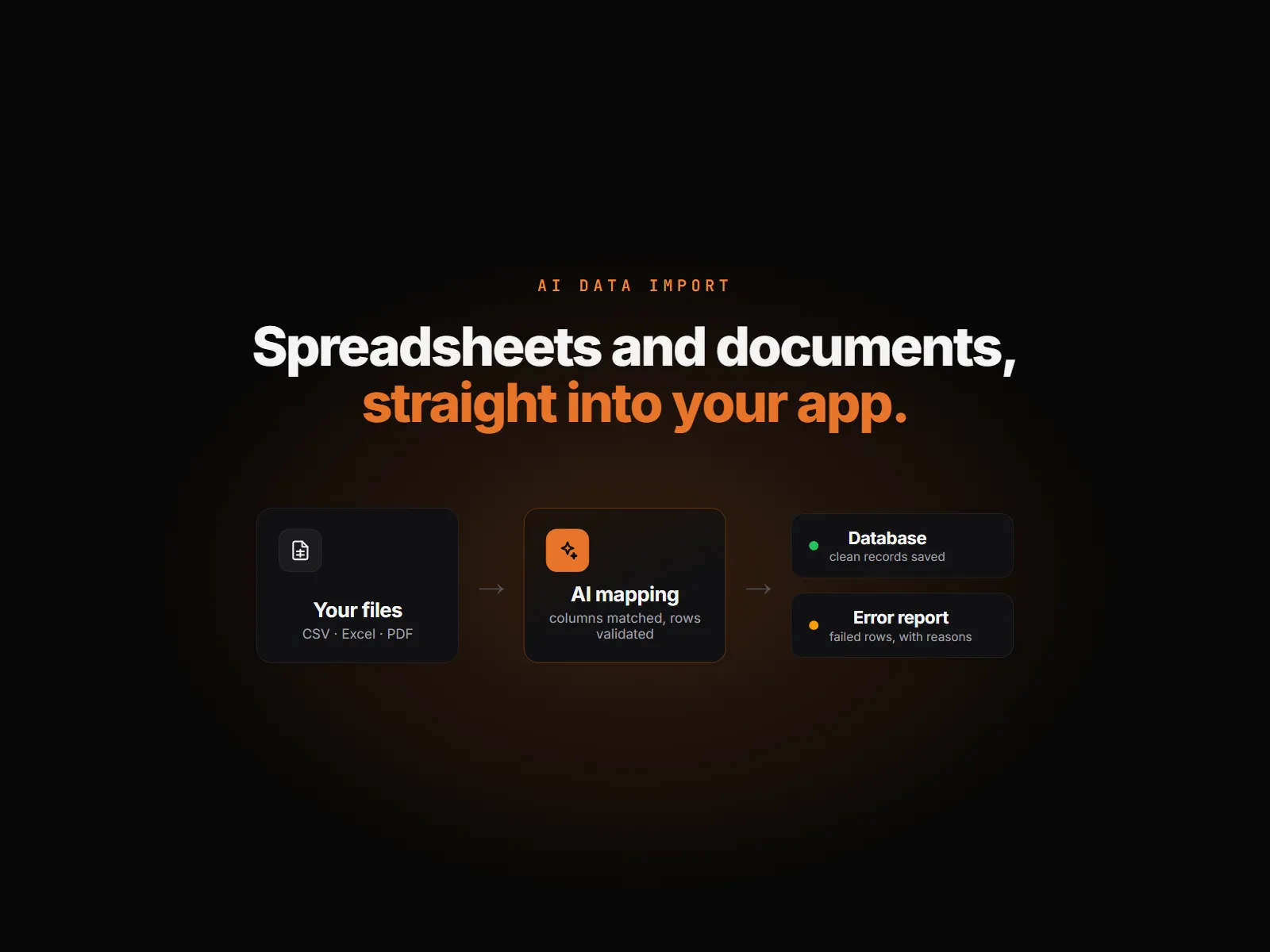
Your team uploads a CSV, an Excel file or a PDF. AI maps it onto your database, even when the headers are messy, every row is checked before it is saved, and nothing that fails is silently lost.
The problem
Most business systems still take data the slow way. A supplier sends a price list, a customer sends an order sheet, a branch sends a stock count, and someone re-types it, or pastes it into a template and hopes the columns line up. The headers never match, a price says "POA", a row has no name, and the mistakes surface weeks later in a report nobody trusts.
We built this import for Kikstart itself, where the assistant maps supplier price lists into a product catalogue. This project builds the same approach into your app: your files, your tables, your rules for bad data. The team behind it has spent more than 25 years building business software for accounting, manufacturing, distribution and retail, where an import that loses rows is not an option.
How it works
What we build.
- 01 / 04
Upload
A CSV, an Excel file or a PDF goes in through a page in your app. The file stays on your own storage.
- 02 / 04
AI maps the columns
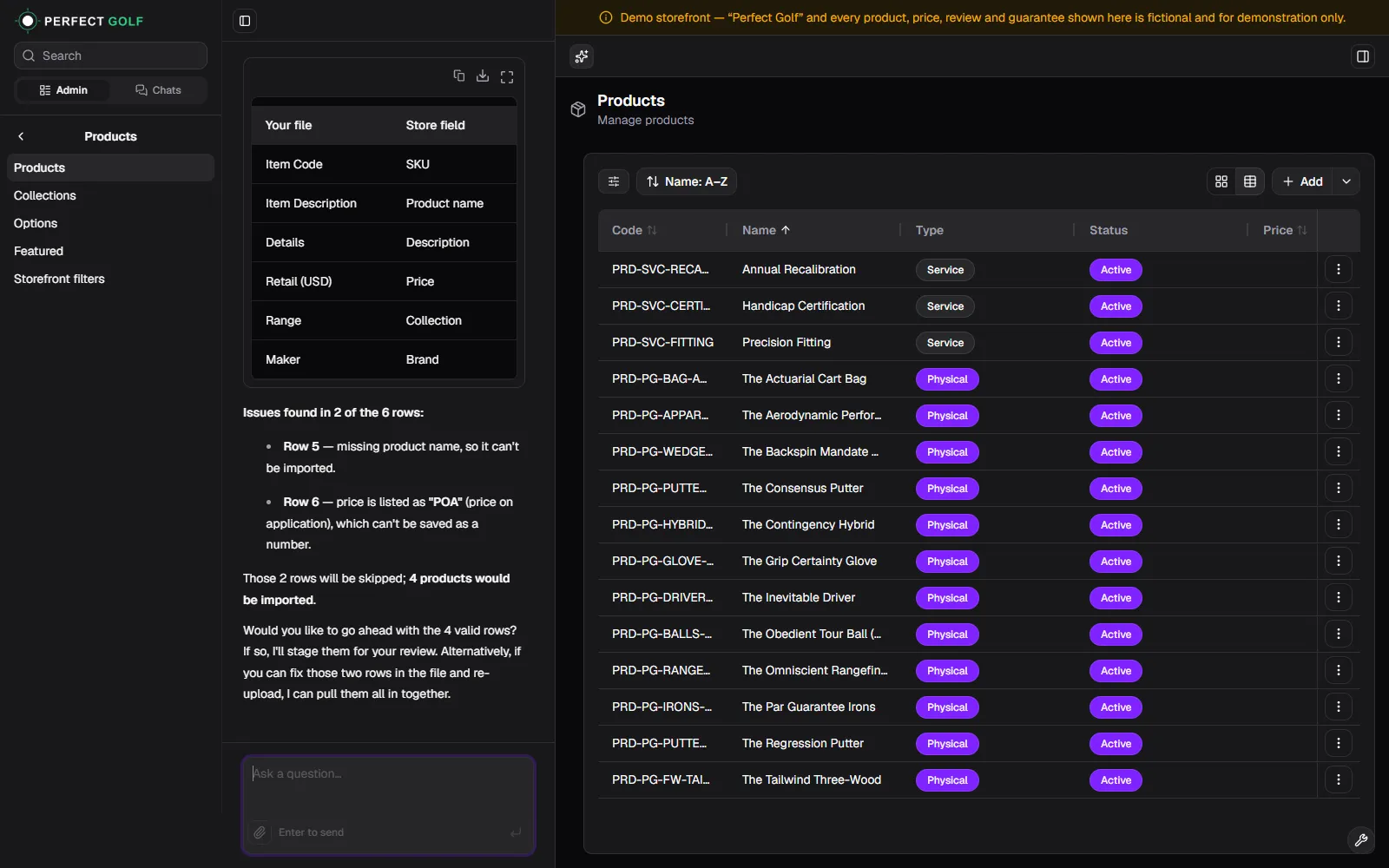
A model matches the file's headers to your fields, so "Item Description" lands in product name and "Retail (USD)" in price, with a confidence on every match.
- 03 / 04
Every row is checked
The mapping is tested against every row before anyone approves it. Missing names, invalid prices and duplicate keys are caught here, not in your database.
- 04 / 04
Clean rows saved, failed rows kept
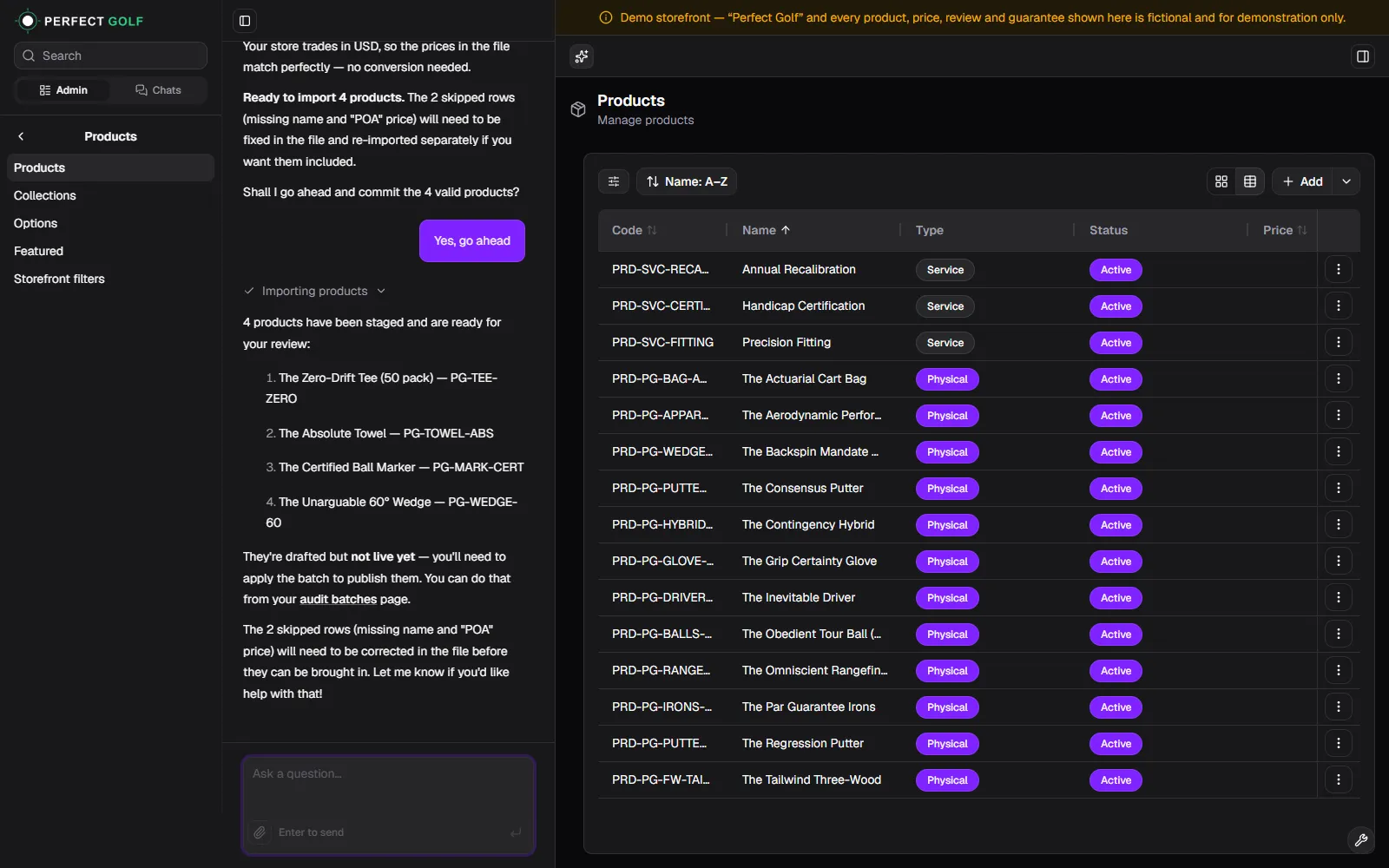
Valid rows are written through one safe write path. Each failed row is recorded with its reason, ready to fix and re-import.
Packages
Pick the scope that fits.
Prices in US dollars, fixed before we start. Nothing is billed by the hour.
Starter
Single spreadsheet import
$400
5-day delivery · 1 revision
One CSV or Excel format mapped to your database, with a downloadable report of failed rows and why they failed.
- Database integration
- Source code
- Setup file
Standard
Spreadsheets and documents
$900
10-day delivery · 2 revisions
Everything in Starter, plus one document type such as a PDF, read by AI and checked the same way.
- Everything in Starter
- AI model integration
- Extraction prompts, tested on your files
- Documented code
Advanced
Full import with a review screen
$1,800
15-day delivery · 3 revisions
Several sources, a failed-rows table, and an admin screen where your team reviews, fixes and re-runs the rows that failed.
- Everything in Standard
- Multiple sources and targets
- Review and fix screen for failed rows
- Model testing and tuning on your files
Add-ons
Extras, priced up front.
| Fast deliveryStarter in 3 days, Standard in 6, Advanced in 10. | +$100 / +$200 / +$400 |
| Additional revisionOne more round of changes within the agreed scope. | +$75 |
| Extra document or file typeAnother source format, read and checked the same way. Adds 3 days. | +$300 |
Included
In every package.
Your code, in your repository
The import lands in your codebase as a module you own, not a hosted service you rent.
A failed-rows report
Every rejected row with its reason, in your file's own columns, so it can be fixed and re-imported as it is.
Low running costs
Mapping and extraction run on cost-efficient models, and a file that matches its template needs no AI call at all.
A walkthrough and handover
Setup instructions, and a walkthrough of how the import works and how to extend it.
See it
Running in Kikstart today.
From you
What we need to start.
Sample files
Two or three real files per source, with sensitive data removed.
Your target fields
The tables and fields the data should land in, and access to your repository if we are building into an existing app.
Your rules for bad data
For example, skip rows with no price, flag duplicate codes, or default the currency when a file leaves it out.
The steps
From brief to handover.
- 01 / 04
Review your files and schema
We read your samples and your database, and confirm the mapping and the rules before building.
- 02 / 04
Build the import
Upload, AI mapping, validation, the write path and the failed-rows report, in your codebase.
- 03 / 04
Test with your real files
We run your own files through it and tune the mapping until the results are right.
- 04 / 04
Deliver and hand over
Source code, setup instructions and a walkthrough, then your revision rounds.
Questions
Before you ask.
Ready to start?
Tell us what you need and we will confirm the package, the price and the delivery date.